
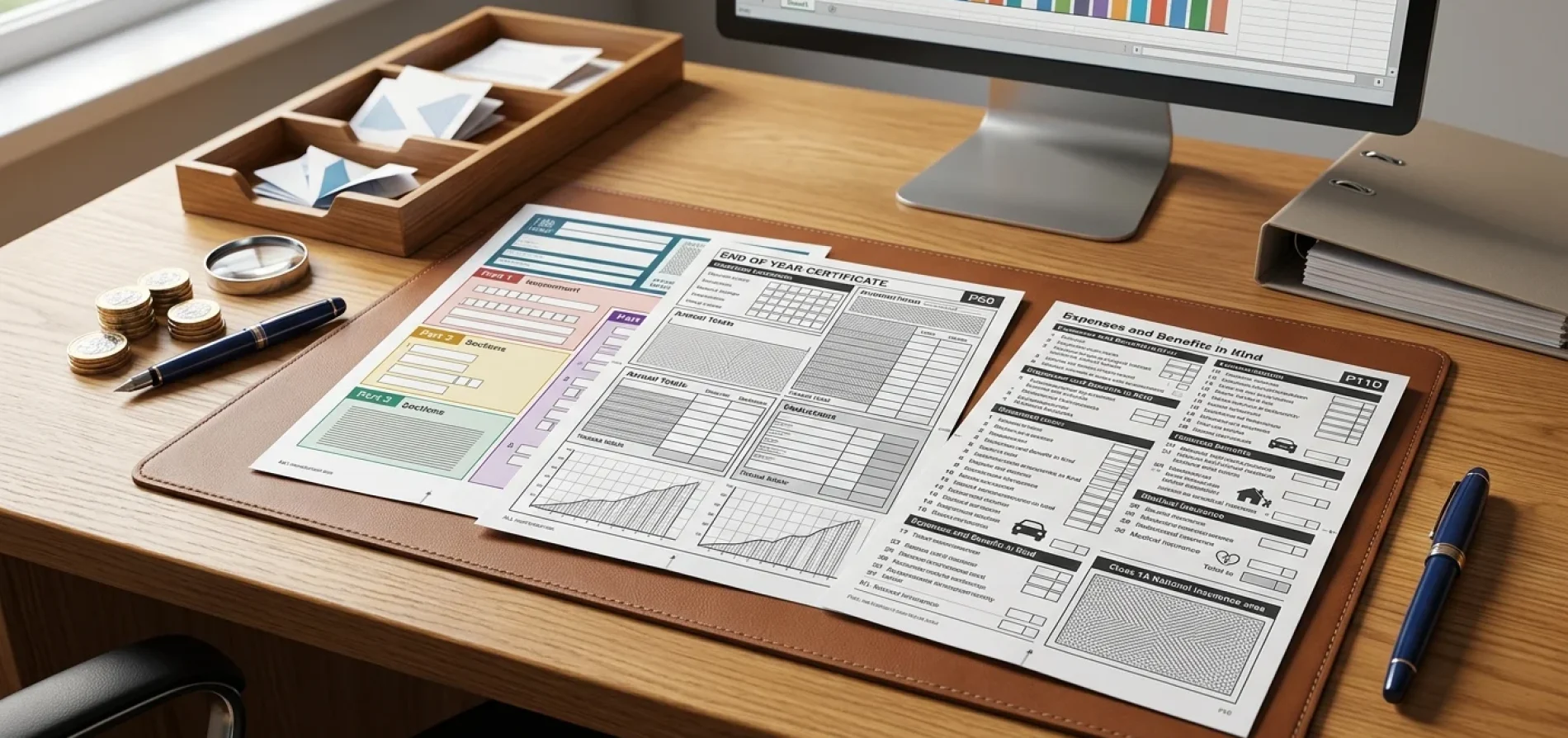
P45, P60 and P11D are different UK payroll forms used for different purposes. A P45 is usually issued when an employee leaves a job, a P60 summarises pay and tax at the end of the tax year, and a P11D reports certain taxable benefits and expenses.
For payroll managers, these forms are not just year-end paperwork. They are compliance documents that need to be accurate, issued on time and handled securely. Mistakes can cause employees to pay the wrong tax, delay mortgage or benefits applications, and create avoidable HMRC queries.
This guide explains what each form is, when it is needed, the key deadlines for the 2025/26 tax year, and how employers should prepare for the move towards mandatory real-time reporting of benefits from April 2027.
P45: issued when an employee leaves a job and shows pay and tax details up to the leaving date.
P60: issued after the end of the tax year to employees still working for the employer and summarises annual pay and tax.
P11D: used to report certain taxable benefits and expenses provided by an employer.
Quick answer: what are P45, P60 and P11D forms?
A P45 is given when an employee leaves a job. It shows their leaving date, tax code, and total pay and tax from 6 April to the leaving date.
A P60 is given after the tax year ends to employees still working for the employer on 5 April. It summarises pay and tax for that employment during the tax year.
A P11D is used to report taxable benefits in kind, such as a company car or interest-free loan, where those benefits have not been fully payrolled.
2025/26 payroll form deadlines at a glance
For the tax year ending 5 April 2026, payroll teams should keep the following dates in their year-end calendar.
| Form or payment | Trigger | Deadline | Employer action |
| P45 | Employee leaves employment | When the employee leaves, without delay in practice | Report the leaving date through payroll and give the employee their P45 |
| P60 | Employee is on payroll on 5 April 2026 | 31 May 2026 | Give a P60 to every employee still working for the employer on 5 April |
| P11D | Taxable benefits or expenses not payrolled | 6 July 2026 | Submit P11Ds online and give employees the relevant benefit information |
| P11D(b) | Class 1A NIC due on benefits | 6 July 2026 | Report total Class 1A National Insurance due |
| Class 1A NIC payment | Benefits reported through P11D or payroll | 22 July 2026 electronically, or 19 July 2026 by cheque | Pay Class 1A NIC to HMRC |
HMRC’s employer guidance confirms that expenses and benefits must be reported by 6 July, employees must receive a copy of the information by 6 July, and Class 1A National Insurance must be paid by 22 July, or 19 July if paying by cheque.
P45: what payroll managers need to know
A P45 is issued when an employee leaves a job. It tells the employee, their next employer and HMRC what has happened in PAYE up to the leaving date.
GOV.UK says a P45 includes the employee’s leaving date, total pay and tax from 6 April to the date they left, tax code and personal details such as their National Insurance number.
When should a P45 be issued?
An employer must give a P45 when an employee leaves. HMRC’s Basic PAYE Tools guidance says employers must give the P45 to employees when they leave, and the employee will need to give it to their next employer.
In practice, payroll teams should issue it as soon as final pay has been processed and the leaving date has been reported correctly through payroll.
What does a P45 show?
A P45 usually includes:
- Employee name and address
- National Insurance number
- Employer PAYE reference
- Leaving date
- Tax code
- Total taxable pay in the current tax year
- Total tax deducted in the current tax year
The new employer uses the P45 to work out how much tax to deduct from the employee’s pay.
What happens if the employee does not have a P45?
If an employee starts a new job without a P45, they should usually complete a Starter Checklist. GOV.UK says the Starter Checklist gives the employer the details needed to work out pay and tax.
If a P45 is lost after being issued, GOV.UK says the employee cannot get a replacement P45. Instead, they can complete a Starter Checklist and can view pay and tax details for the last 5 tax years through their Personal Tax Account or the HMRC app.
What if the P45 is wrong?
If the pay or tax amounts on a P45 are wrong, GOV.UK says the employee should ask the previous employer to correct the details and send an amended P45. If that is not possible, the employee can tell HMRC through the online Income Tax service.
For payroll managers, this makes final payroll reconciliation important before issuing a P45. Errors can follow the employee into their next job and create tax code problems.
P60: what payroll managers need to know
A P60 is the employee’s end-of-year PAYE summary. It shows pay and tax for the tax year, which runs from 6 April to 5 April. GOV.UK says employees receive a separate P60 for each job every tax year.
Who must receive a P60?
Employers must give a P60 to all employees who are on the payroll and working for them on the last day of the tax year, which is 5 April.
This includes employees who are still employed but may be absent, such as those on maternity leave, sick leave or other leave.
Employees who left before 5 April do not usually receive a P60 from that employer for that tax year. They should have received a P45 when they left.
What is the P60 deadline?
The P60 deadline is 31 May after the end of the tax year. GOV.UK confirms that employers must give employees a P60 by 31 May.
For the 2025/26 tax year, the deadline is 31 May 2026.
Can a P60 be issued electronically?
Yes. GOV.UK says employers can provide a P60 on paper or electronically.
Electronic P60s can work well where employees have secure access to a payroll portal or HR system. Employers should make sure employees can access and download the document by the deadline.
Why do employees need P60s?
Employees may need their P60 to prove how much tax they paid, claim back overpaid tax, or provide proof of income when applying for a loan or mortgage.
A P60 can also be useful for Self Assessment, tax code checks and employment income records.
What if a P60 is wrong?
If a P60 needs changing, GOV.UK says the employer should give the employee either a new P60 marked “replacement” or a letter confirming the change. This can be paper or electronic.
Payroll teams should complete year-end checks before issuing P60s, especially where there have been corrections, leavers, salary sacrifice arrangements, statutory payments or student loan deductions.
P45 vs P60: key differences
| Form | When it is issued | Who receives it | What it shows |
| P45 | When an employee leaves | The leaving employee | Pay, tax, tax code and leaving date up to the leaving date |
| P60 | After the tax year ends | Employees still working for the employer on 5 April | Full-year pay and tax for that employment |
A P45 is about leaving a job. A P60 is about summarising a full tax year for an ongoing employment.
P11D: what payroll managers need to know
A P11D is used to report taxable expenses and benefits provided to employees and directors where those items have not been fully processed through payroll.
GOV.UK says an employer might submit a P11D to tell HMRC if an employee receives benefits in kind, such as a company car or interest-free loan. It also explains that where the employer takes the tax due on benefits through pay, a P11D may not be needed for those benefits.
What counts as a benefit in kind?
Common taxable benefits can include:
- Company cars
- Private fuel
- Private medical insurance
- Interest-free or low-interest loans
- Living accommodation
- Certain non-business expenses paid by the employer
Each type of benefit has its own valuation rules, so employers should not assume that all benefits are calculated in the same way. HMRC says Class 1A National Insurance is calculated using the cash equivalent figure reported for tax purposes on the P11D or through payrolling.
When is a P11D needed?
If taxable expenses or benefits have not been payrolled, the employer must submit an online P11D for each employee who received them. GOV.UK says employers must complete a P11D for each employee provided with taxable expenses or benefits that were not payrolled.
If all benefits for an employee have been correctly payrolled, a P11D is not normally needed for that employee’s payrolled benefits. However, the employer must still report any Class 1A National Insurance due through a P11D(b).
What is the P11D deadline?
The P11D deadline is 6 July after the end of the tax year. For the 2025/26 tax year, P11Ds are due by 6 July 2026.
Employers must also give employees a copy of the relevant benefits information by the same date.
Can P11Ds be filed on paper?
Generally, no. GOV.UK says P11D and P11D(b) forms should be submitted online, and HMRC will only accept paper forms if the business has stopped trading.
Employers with fewer than 500 employees can use HMRC’s PAYE Online service, while employers with more than 500 employees should use payroll software.
P11D(b) and Class 1A National Insurance
A P11D(b) is the employer declaration used to report the total Class 1A National Insurance due on taxable benefits.
HMRC says employers must submit a P11D(b) to report Class 1A National Insurance owed, including where benefits have been payrolled.
What is the Class 1A NIC rate?
For the 2026/27 tax year, HMRC’s Class 1A guidance uses a rate of 15%. Class 1A NIC is calculated by adding together the cash equivalent of relevant benefits and multiplying by the Class 1A percentage rate.
When is Class 1A NIC due?
The key Class 1A NIC dates are:
- 6 July: submit P11D and P11D(b)
- 19 July: cheque payments must reach HMRC
- 22 July: electronic payments must clear into HMRC’s bank account
HMRC confirms these dates in its Class 1A National Insurance guidance.
Do employers need to submit a nil P11D(b)?
Not always. GOV.UK says employers only need to tell HMRC that they have no Class 1A return to make if HMRC has sent a P11D(b) reminder letter and they have not awarded taxable benefits or expenses to employees.
If HMRC has asked for a return, ignoring the request can lead to unnecessary penalties or reminders.
What are the penalties for late P11D and P11D(b)?
The source article stated that late P11D submissions attract penalties of £300 per month per form. That wording should not be used.
HMRC’s P11D guidance says an employer who fails to submit a P11D within the time limit may incur a penalty not exceeding £300, with a further penalty not exceeding £60 per day if the failure continues.
For P11D(b), HMRC says that if the return is not received by 19 July, it may attract a penalty of £100 per month or part month of lateness for every 50, or part-batch of 50, employees provided with benefits.
Incorrect returns can also lead to penalties, so payroll teams should check benefit values, dates, employee contributions and Class 1A calculations before submission.
Payrolling benefits: what changes from April 2027?
Payrolling benefits means taxing benefits through payroll during the tax year instead of relying on a year-end P11D adjustment for the employee.
HMRC says that from April 2027, the reporting process for most benefits in kind and expenses will be through the Full Payment Submission, the same process employers use to report salary and other employee payroll details.
This means payroll teams should start preparing before the change becomes mandatory. Processes that currently sit with HR, finance or benefits providers may need to feed accurate benefit values into payroll in time for each pay run.
Does payrolling remove the P11D(b)?
No. Under current rules, if benefits are payrolled, employers do not need to submit individual P11Ds for benefits that have all been payrolled, but they must still submit a P11D(b) for Class 1A National Insurance.
This is one of the most important points for payroll managers. Payrolling changes how employee tax is collected, but it does not remove the employer’s Class 1A NIC reporting responsibility.
Data security: why payroll form distribution matters
P45s, P60s and P11Ds contain sensitive personal and financial information. That can include names, addresses, National Insurance numbers, pay, tax and benefit values.
The ICO says a personal data breach can include sending personal data to the wrong recipient, accidental or unlawful disclosure, loss, alteration or unauthorised access.
If a breach is notifiable, organisations must report it to the ICO without undue delay and, where feasible, within 72 hours of becoming aware of it.
The ICO also confirms that the higher maximum fine under UK GDPR can be £17.5 million or 4% of worldwide annual turnover, whichever is higher.
For payroll teams, this makes secure delivery important. A secure payroll portal with controlled access and audit logs is usually stronger than sending payroll documents as ordinary email attachments.
Payroll manager checklist for P45, P60 and P11D compliance
Before issuing or submitting statutory payroll forms, payroll teams should check:
- Employee names, addresses and National Insurance numbers
- Tax codes and payroll IDs
- Year-to-date pay and tax
- Leaving dates for P45s
- Final pay calculations for leavers
- P60 eligibility for employees still employed on 5 April
- Benefit type, availability dates and cash equivalent values
- Employee contributions towards benefits
- Whether benefits were payrolled or need P11D reporting
- P11D(b) Class 1A NIC calculation
- HMRC submission receipts
- Secure employee access to forms
Good payroll records reduce the chance of tax code errors, employee queries, benefit reporting mistakes and missed deadlines.
Common payroll mistakes to avoid
Issuing a P60 to someone who left before 5 April
Employees who left before the end of the tax year should usually have received a P45, not a P60 from that employer.
Forgetting employees on leave
Employees still employed on 5 April should receive a P60 even if they are on maternity leave, sick leave or another form of absence.
Treating payrolled benefits as the end of reporting
Payrolled benefits may remove the need for individual P11Ds for those benefits, but the employer may still need to submit a P11D(b) for Class 1A NIC.
Missing the Class 1A payment reference
HMRC says employers must use their Accounts Office reference and show the correct tax year and month when paying Class 1A NIC. For a July 2026 payment for 2025/26 Class 1A NIC, HMRC says employers need to add 2613 to the end of their Accounts Office reference.
Sending payroll documents insecurely
Payroll documents contain sensitive information. The ICO treats accidental disclosure, unauthorised access and sending data to the wrong recipient as possible personal data breaches.
Final thoughts
P45, P60 and P11D forms may look routine, but they play an important role in PAYE compliance. They affect employees’ tax codes, proof of income, benefit reporting and HMRC records.
For payroll managers, the priority is simple: issue the right form to the right person, by the right deadline, with accurate figures and secure access.
With mandatory real-time benefits reporting due from April 2027, employers should also review whether their payroll systems, HR processes and benefit records are ready for more regular reporting through the Full Payment Submission.
FAQs
What is the difference between P45, P60 and P11D?
A P45 is issued when an employee leaves a job, a P60 is issued after the tax year to employees still working on 5 April, and a P11D reports taxable benefits in kind where those benefits have not been fully payrolled.
When is the P60 deadline for 2025/26?
The P60 deadline for the 2025/26 tax year is 31 May 2026. Employers must give a P60 to employees who were working for them on 5 April 2026.
When is the P11D deadline for 2025/26?
The P11D and P11D(b) deadline for the 2025/26 tax year is 6 July 2026. Employers must also give employees a copy of the relevant benefits information by that date.
When is Class 1A National Insurance due?
Class 1A National Insurance must be paid by 22 July if paying electronically, or 19 July if paying by cheque.
Can employers issue P60s electronically?
Yes. GOV.UK says P60s can be provided on paper or electronically.
Can an employer reissue a lost P45?
GOV.UK says if a P45 has been lost, the employee cannot get a replacement. Instead, they can complete a Starter Checklist, and they may be able to view pay and tax details through their Personal Tax Account or the HMRC app.
Do payrolled benefits still need a P11D?
If all benefits for an employee have been correctly payrolled, individual P11Ds are not usually needed for those payrolled benefits. However, the employer must still submit a P11D(b) for Class 1A National Insurance where due.
What changes from April 2027?
From April 2027, HMRC says the reporting process for most benefits in kind and expenses will move through the Full Payment Submission. This means benefits reporting will become a real-time payroll process for most benefits.